AI tools are powerful but expensive.
Many professionals today spend $200+ per month subscribing to multiple AI platforms like ChatGPT, Claude, Gemini, and others. Each tool is great on its own, but constantly switching between them breaks focus, slows work, and hurts productivity.
That’s the real problem.
As AI adoption grows, workflows become fragmented. Teams jump between dashboards, lose context, and waste time managing tools instead of getting results.
The solution? Multi-model platforms.
These platforms bring multiple AI models into one unified workspace, allowing users to switch models instantly, compare outputs, and keep everything in sync.
In an attempt to reduce expenses and boost productivity, 84% of groups presently use AI models in cloud environments, and many are shifting to multi-model configurations.
In this guide, you’ll learn:
- What multi-model AI platforms really are
- The key benefits they offer
- The 6 best multi-model platforms
- Real-world use cases and future trends
Let’s break it down.
What Are Multi-Model Platforms?
A multi-model platform is a unified interface that allows users to access and switch between different AI engines like GPT-5, Claude 4, Gemini 2.0, and DeepSeek without leaving the application.
Unlike “single-provider” apps (where you are locked into one company’s tech), these platforms act as a cockpit. You can use a reasoning-heavy model to outline a strategy and then immediately flip to a high-speed model to execute the writing, all while preserving your data and conversation history.
Who can benefit from multi-model platforms?
- Developers: Switch models to debug code across different logic engines.
- Content Creators: Use one model for research and another for “human-like” stylistic editing.
- Enterprises: Consolidate billing and ensure data governance across all AI usage.
Key Benefits of Using Multi-Model Platforms
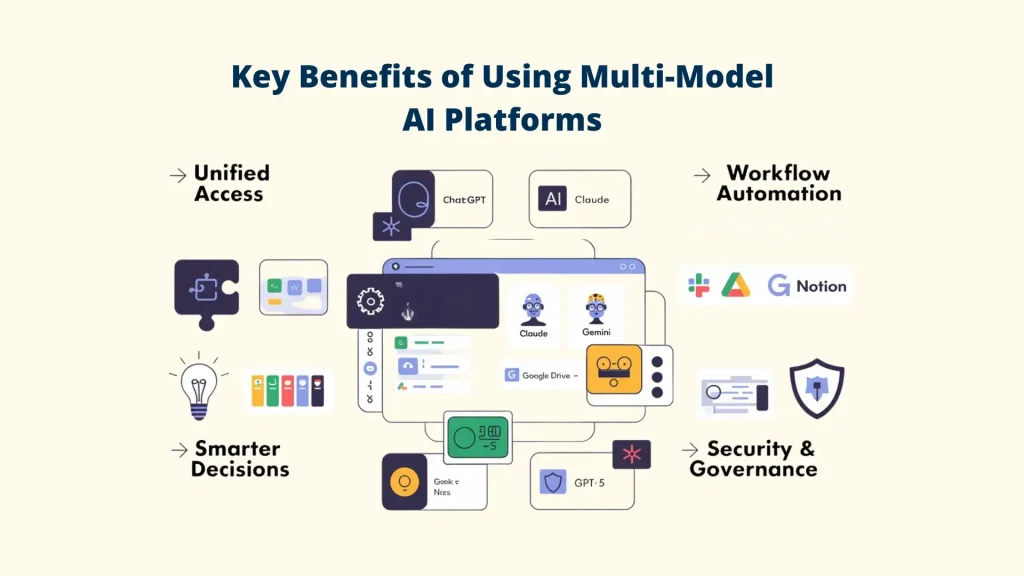
🧩 Unified Access: One Dashboard for Multiple AI Models
Multi-model platforms eliminate the need to juggle separate tools for ChatGPT, Claude, or any others. Instead, users operate from a single, centralized workspace that allows them to:
> Access 10+ leading AI models with one account
> Switch between models instantly via a dropdown selector
> Preserve conversation context across different models
⚙️ Improved Workflow Automation
Modern multi-model platforms function as automation layers, not just chat interfaces. Key capabilities include:
> Custom workflows: Route tasks automatically to the best-performing AI model
> Tool integrations: Connect Slack, Google Drive, Notion, CRMs, and internal databases
> Agent orchestration: Deploy autonomous AI agents that operate continuously
> Scheduled automation: Generate recurring reports, summaries, and content on autopilot
💡 Better Decision-Making Through Cross-Model Intelligence
Every multi-model platform excels at different tasks. Multi-model platforms unlock this advantage by enabling users to:
> Compare responses side-by-side from GPT-5, Claude, and Gemini
> Validate outputs through cross-model verification
> Reduce hallucinations using consensus-based responses
> Select the most accurate model for each task type
With the right writing assistance from Writix, it has a large library of pre-built workflows, 10x faster and better results, and continuous updates.
🔒 Enhanced Security and Data Governance
Enterprise-ready multi-model platforms centralize AI governance with:
> Role-based access controls (RBAC)
> Detailed audit logs tracking model usage
> Data loss prevention (DLP) safeguards
The 6 Best Multi-Model AI Platforms with Benefits
1. Writix
Quick Overview
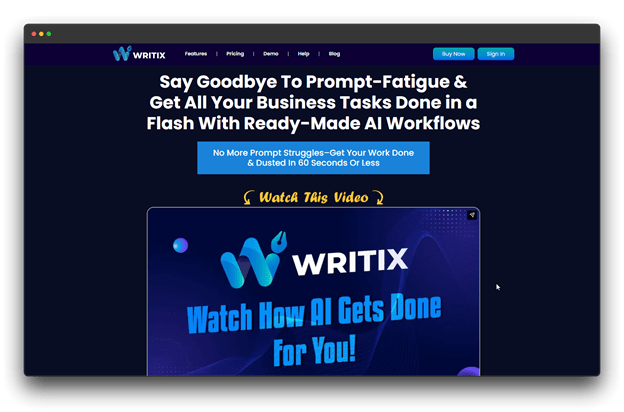
Writix is a smart AI writing platform that works on ready-made workflows instead of complex prompts. You simply choose a workflow, add basic details, and let the AI do the heavy lifting.
With more than 300 integrated workflows, Writix enables you to produce content more quickly without having to worry about technical setup or timely writing.
Core Features
🔺 Access multiple AI models like GPT-4.1, Claude, Gemini, and more
🔺 Guided task inputs for better and more accurate results
🔺 Create and reuse custom workflows for repeat tasks
🔺 Write content in multiple global languages
🔺 Generate business-ready documents like reports, proposals, and contracts
Best For
Content creators, marketers, and small businesses who want quick, high-quality content without learning prompt engineering. Perfect for teams handling different content types and languages.
Pricing: $47 per month (Elite plan with business-use license)
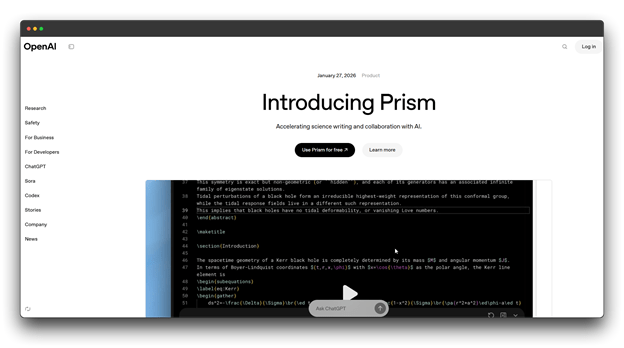
2. OpenAI GPT Workspace
Quick Overview
A robust AI platform designed for serious work is OpenAI GPT Workspace. It is built to manage complicated tasks like in-depth research, coding projects, lengthy documents, and visual comprehension.
The platform adapts automatically, switching between fast replies and deep thinking so you get the right output for every task.
Core Features
🔺 Smart switching between quick responses and deep analysis
🔺 Handles long documents with extended context and fresh data
🔺 Works smoothly with spreadsheets, presentations, and images
🔺 Team workspaces with shared projects and collaboration tools
Best For
Developers, professionals, and enterprise teams who need high accuracy, strong reasoning, and reliable AI for important daily workflows.
Why It Stands Out
OpenAI GPT Workspace excels in reasoning power, long-context tasks, and agent-based workflows. Large companies already use it to boost speed, accuracy, and team productivity.
Pricing: $47 per month (Elite plan with business-use license)
3. Anthropic Claude Console
Quick Overview
Teams can create, test, and enhance Claude-powered apps in Anthropic Claude Console, a shared AI workspace. To help teams stay organized and move more quickly, it consolidates all workflows, tools, and prompts into one location.
With Claude 3.7 Sonnet, the console helps teams handle complex tasks while keeping outputs clear and easy to understand.
Core Features
🔺 Team workspaces to manage access, resources, and spending
🔺 Extended thinking mode for quick answers or step-by-step reasoning
🔺 Reusable agent skills for summaries, APIs, and task automation
🔺 Smart prompt tools that help create better prompts automatically
Best For
Development teams and enterprises that want safe, transparent, and controlled AI for real-world projects.
Why It Stands Out
This shines in software development and problem-solving. It handles unclear problems, system trade-offs, and complex bugs with ease, helping teams test and improve prompts faster.
Pricing : $22.50 per month (usage-based with efficient token output)
4. DeepSeek Fusion
Quick Overview
DeepSeek Fusion is an open-source AI multi-model platform designed for robust reasoning and affordability. It operates quickly and effectively while emphasizing methodical thought.
It delivers high performance without heavy hardware, making advanced AI more affordable.
Core Features
🔺 Expert-based model for accurate answers
🔺 Think mode shows clear step-by-step reasoning
🔺 Fast processing for long inputs
🔺 MIT license for commercial use and customization
Best For
Developers and teams who want low-cost, open-source AI and can work with APIs or self-hosting.
Why It Stands Out
DeepSeek Fusion demonstrates how powerful AI can compete with top models while using fewer resources.
Pricing : Usage-based (Pay-per-token).
5. LangChain Hub
Quick Overview
A platform for developers to create AI applications and intelligent agents is called LangChain Hub. It enables teams to integrate data, memory, AI models, and tools into actual, functional workflows.
Instead of starting from scratch, developers can design, test, and launch AI systems faster using a flexible setup.
Core Features
🔺 LangSmith tools for tracking, testing, and monitoring AI workflows
🔺 Modular design for simple chains or full system control
🔺 Built-in debugging and performance checks
🔺 Advanced agents that plan tasks, use sub-agents, and handle files
🔺 Easy connections to models, tools, and vector databases
Best For
Developers and enterprise teams building custom, production-ready AI systems with full control.
Why It Stands Out
LangChain Hub powers large AI systems used by major companies, helping teams respond faster and manage complex workflows at scale.
Pricing: $39 per month (Plus plan for teams, custom seats, and workspaces)
6. CrewAI
Quick Overview
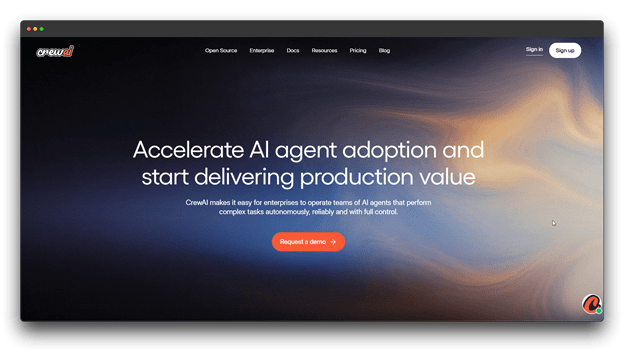
A multi-model platform called CrewAI allows various AI agents to collaborate like a real team. Every agent has a distinct role, and they all work together to successfully complete challenging tasks. CrewAI lets experts do what they do best rather than having one AI handle everything.
Core Features
🔺 Assign clear roles like researcher, writer, analyst, or coder
🔺 Run tasks in order, at the same time, or in structured stages
🔺 Built-in agent communication for smooth task handoffs
🔺 Supports rule-based and group decision-making
Best For
Teams building multi-agent AI systems for content creation, research, customer support, and business automation.
Why It Stands Out
CrewAI replicates real team workflows, making it simple to run AI “crews” where specialists collaborate in a single system.
Pricing: $99 per month (final cost depends on usage)
Future Trends in Multi-Model Platforms
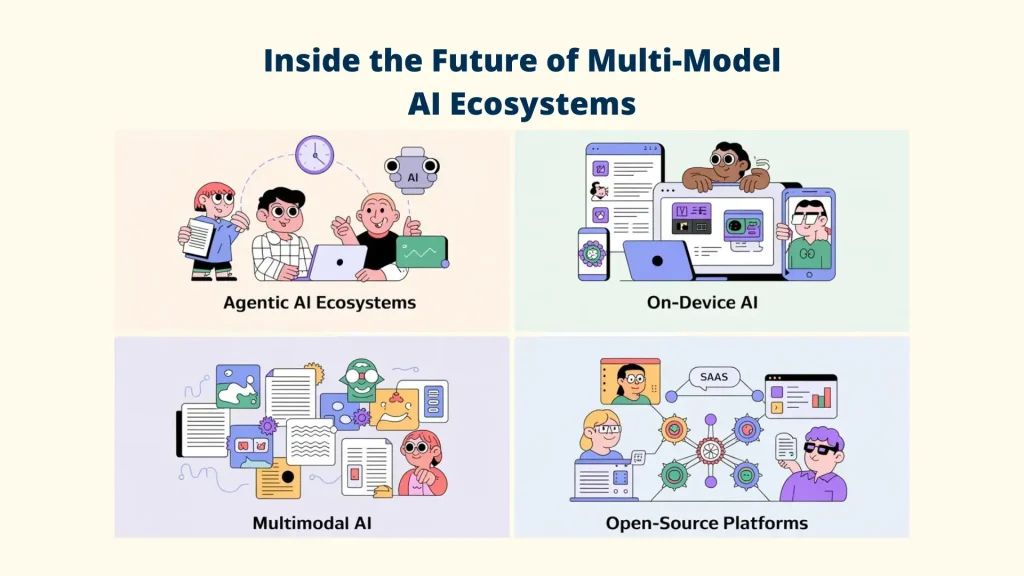
Multi-model AI platforms are evolving fast, and the focus is shifting toward smarter agents, better efficiency, and stronger control. These trends will shape how AI works and beyond.
1. Rise of Agentic AI Ecosystems
One-time solutions are being replaced by multi-model platforms. Autonomous agents are the way of the future.
🔹 Always-on AI agents running 24/7
🔹 AI agents working together on complex tasks
🔹 Systems that improve by learning from real use
🔹 Scheduled agents for alerts, reports, and actions
2. On-Device Multi-Model Processing
As the years go by, new trends indicate that AI is becoming more accessible to users rather than remaining solely in the cloud.
🔹Multi-model platforms running on laptops and phones
🔹 Offline AI for private and secure tasks
🔹 Faster responses with lower delay
🔹 Smart mix of cloud and on-device processing
3. Deeper Multimodal AI Integration
Multi-model platforms are becoming the standard for real-world work, so you must seek the appropriate assistance to achieve genuine, insightful, and deep results.
🔹 One system handling text, PDFs, images, audio, and video
🔹 Rich content created from simple prompts
🔹 Better understanding across formats
🔹 Full workflows combining multiple content types
4. Growth of Open-Source Multi-Model Platforms
Open AI platforms are becoming strong alternatives to closed systems.
🔹 Community-built and improved models
🔹 Transparent and auditable systems
🔹 Less dependency on a single provider
🔹 Affordable and flexible AI for niche industries
This change is facilitated by programs like Writix, which provide integrated sales and content tools, intelligent reasoning models, and ready-to-use workflows.
Conclusion
So, still switching between different AI tools? That approach is fading fast.
Multi-model platforms combine the best AI models into a single workspace, allowing users to work faster, save money, and maintain focus. Instead of writing prompts over and over, users now rely on workflows, agents, and collaborative systems.
This article covered several leading platforms, each built for different needs.
So, what should you choose?
But the catch is that there is no one-size-fits-all solution, only the best tool for your workflow.
👉 Do you need fast and structured content? Choose a workflow-driven platform like Writix
👉 Want to build powerful AI agents? Choose a developer-focused or open-source platform like DeepSeek Fusion.
The shift is already underway. Creators are moving from prompts to workflows. Developers are building autonomous agents. Businesses are adopting secure, unified AI platforms.
So, by leveraging unified AI platforms, you can work faster and stay ahead.
🚀 Explore. Experiment. Optimize.
FAQs about Best Multi-Model Platforms
Q: What’s the difference between a multi-model platform and using individual AI services?
A: While individual services necessitate distinct subscriptions, logins, and workflows, multi-model platforms offer unified access to several AI providers through a single interface.
Multi-model platforms offer context preservation when switching models, centralized billing, team collaboration features, and often cost 50-70% less.
Q: What happens if one AI provider has an outage?
A: That’s one of the biggest benefits of backup support.
If one provider (like OpenAI) has an outage, you can instantly switch to another model like Claude or Gemini. Many platforms even auto-switch models so your work never stops.
Q: Can these Multi-Model Platforms generate images too?
A: Yes. Most modern platforms support image generation. Tools like Writix and Gemini Studio let you create images using models like DALL·E 3 or Flux, all inside the same chat or workspace.